

Tavirro Digital Wall Calendar 15.6"
$149.99
Skip to product information



FAMILY ORGANIZER · 15.6-INCH TOUCHSCREEN
Tavirro Digital Wall Calendar 15.6"
$149.99
Everyone's week, on the wall where you'll see it. Color-coded schedules, chore charts with star rewards, a weekly meal plan and your photos on one Full HD touchscreen that syncs with Google, iCloud and Outlook.
Syncs with your phone
Chore chart + stars
Weekly meal planner
Photo frame mode
Pickup currently not available
Free shipping
30-day returns
Secure checkout
Quick answers
Does it work with my Google or iPhone calendar?Yes. It syncs with Google, iCloud, Outlook, Yahoo, Cozi and TeamSnap calendars.
Can everyone add events?Yes. Family members add or change events from the free app on iOS or Android, or right on the screen.
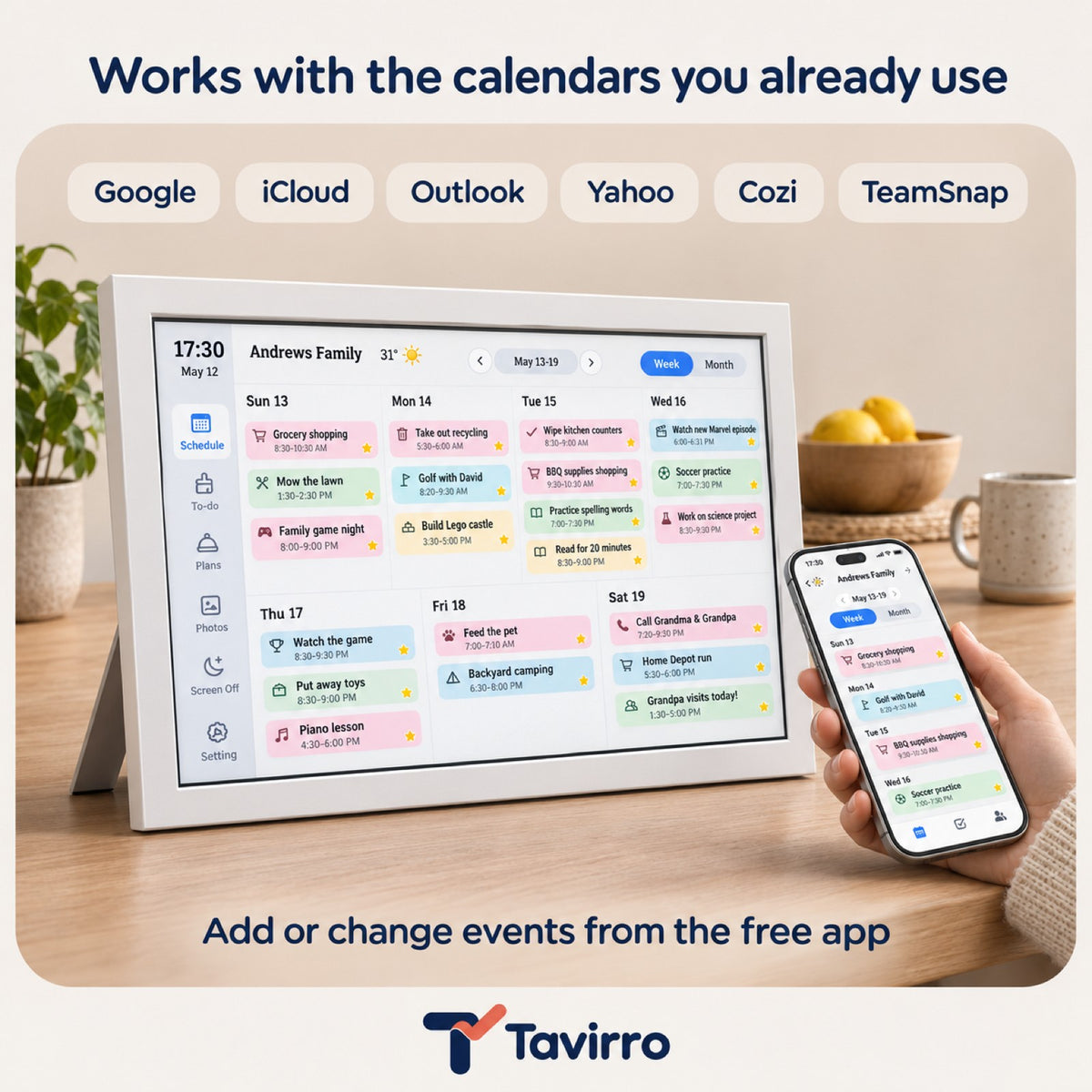
Wall or table?Both. Hang it on the wall or stand it on a counter or desk.
How long does delivery take?7–12 business days, with free shipping on all US orders.
Screen size
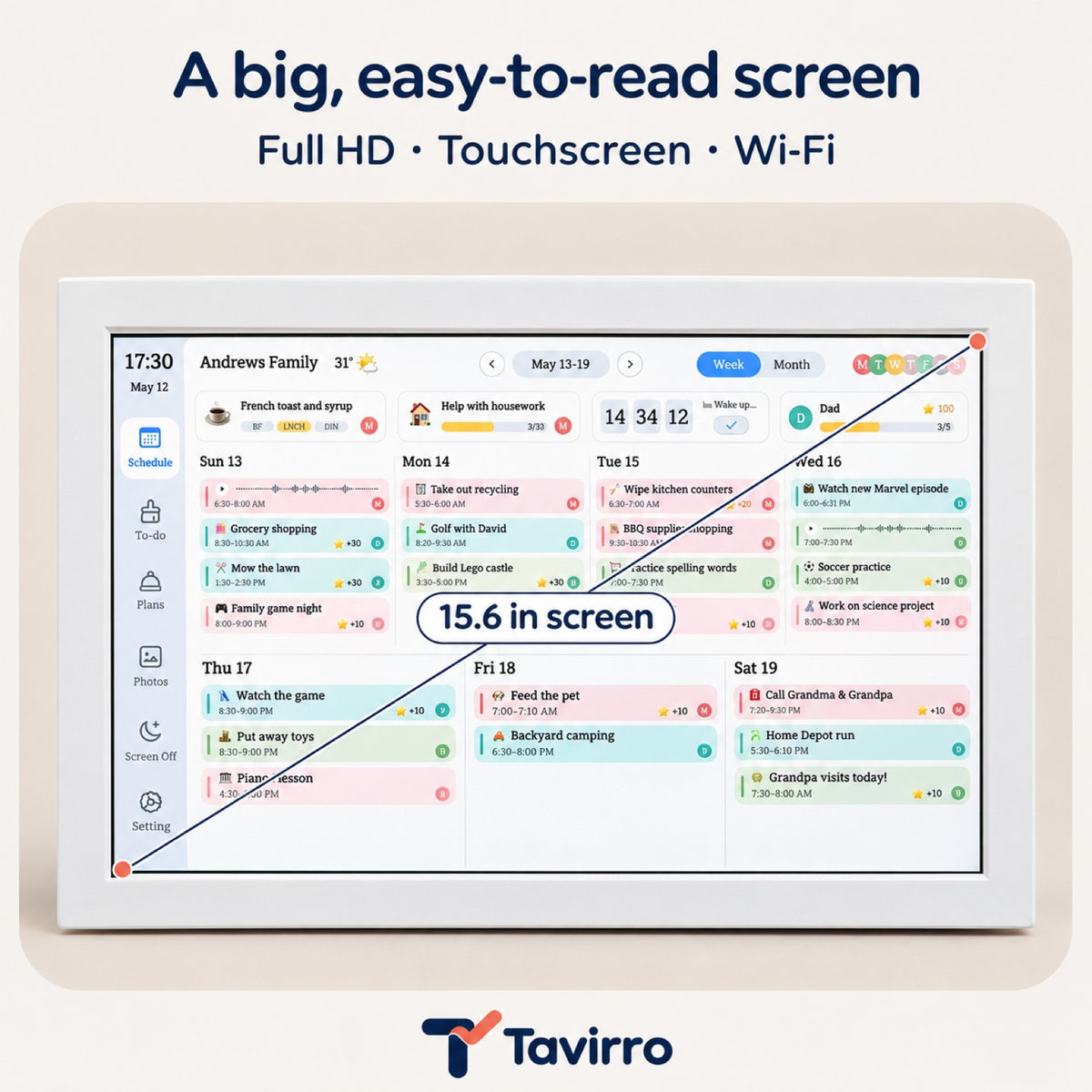
15.6-inch Full HD (1080p) touchscreen, landscape.
Big enough to read the whole week from across the kitchen. White frame.
What it does
- Shows everyone's events on one color-coded calendar, by day, week or month.
- Turns chores and routines into checklists kids earn stars for.
- Plans the week's meals and keeps your shopping and to-do lists.
- Becomes a photo frame for your favorite pictures when you're not planning.
Setting it up
- Plug it in and connect it to your Wi-Fi.
- Link your Google, iCloud or Outlook calendar and add a profile for each person.
- Hang it on the wall or stand it on a counter. Everyone can add events from the free app.
Shipping, returns and payment
- Free shipping on all US orders, delivered in 7–12 business days.
- 30 days after delivery to return it.
- Secure checkout. Refunds go back to your original payment method.
Specifications
| Screen | 15.6 in touchscreen |
| Resolution | Full HD 1080p |
| Connection | Wi-Fi |
| Calendar sync | Google, iCloud, Outlook, Yahoo, Cozi, TeamSnap |
| App | Free, iOS and Android |
| Placement | Wall or table |
| Frame | White plastic |
Seen on TikTok
Watch it run the house
Real videos from TikTok. Tap a video for sound.
Creator videos featuring this type of product; the model shown may differ slightly.
The family command center
Stop texting “what time is practice?”
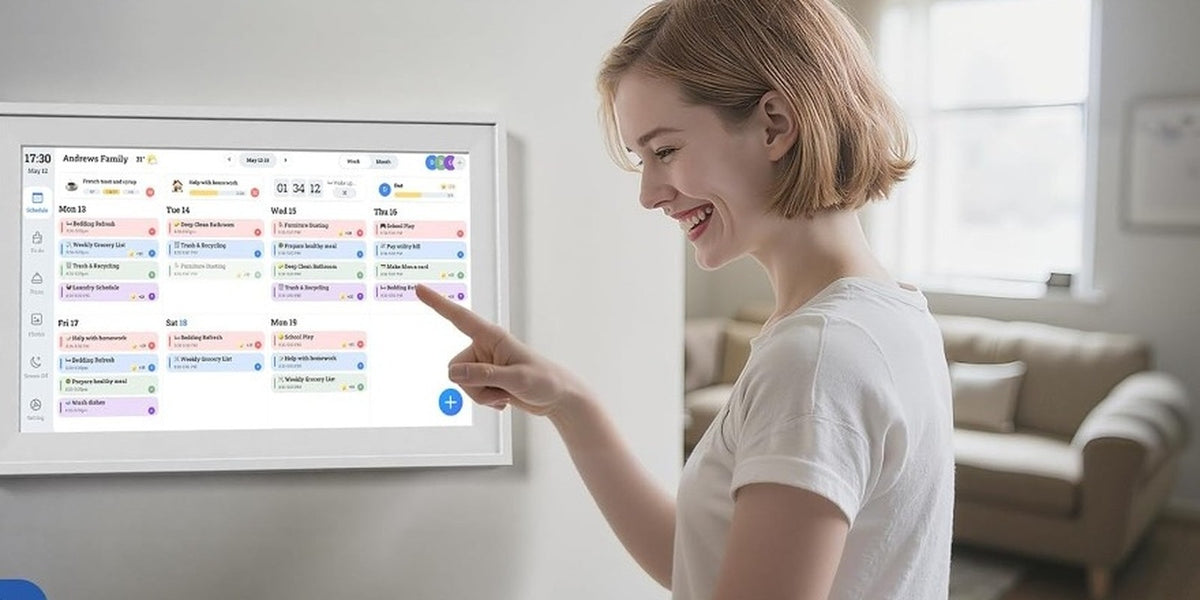
Soccer, dentist, piano, who's cooking, whose turn it is to take out the trash. It all lives on one bright screen in the middle of the house, and it updates itself from everyone's phone.
- Add an event on your phone, it shows up on the wall.
- Each person gets their own color, so you see whose day is busy at a glance.
A day with it
One screen, from breakfast to bedtime
- 7:00 AM

Morning routines, already listed
Brush teeth, pack the backpack, feed the dog. Kids check off their own routine on the screen instead of hearing it ten times.
- 3:30 PM

Chores turn into stars
Each finished chore earns a star, so kids can see their progress and parents stop keeping score in their heads.
- 6:00 PM

Dinner is already decided
The weekly meal plan answers “what's for dinner?” before anyone asks, and the shopping list is right there too.
- 9:00 PM

Your photos take over
When the planning is done, the screen turns into a photo frame for your favorite family pictures.


What's on the screen
Everything a busy house keeps in its head
Six tools on one touchscreen, all in the same place on the wall.
Day, week or month
Switch views with a tap. Every event is color-coded by person.
Chore chart and rewards
Assign chores and routines. Kids earn stars as they finish them.
Meal planner
Plan the week's menu and keep the shopping list next to it.
Lists and to-dos
Custom lists for groceries, packing, homework or anything else.
Reminders
Notifications so nobody forgets the field trip form.
Photos and messages
Slideshows of your pictures, plus little messages for the family.
Stays in sync
Keep the calendars you already use
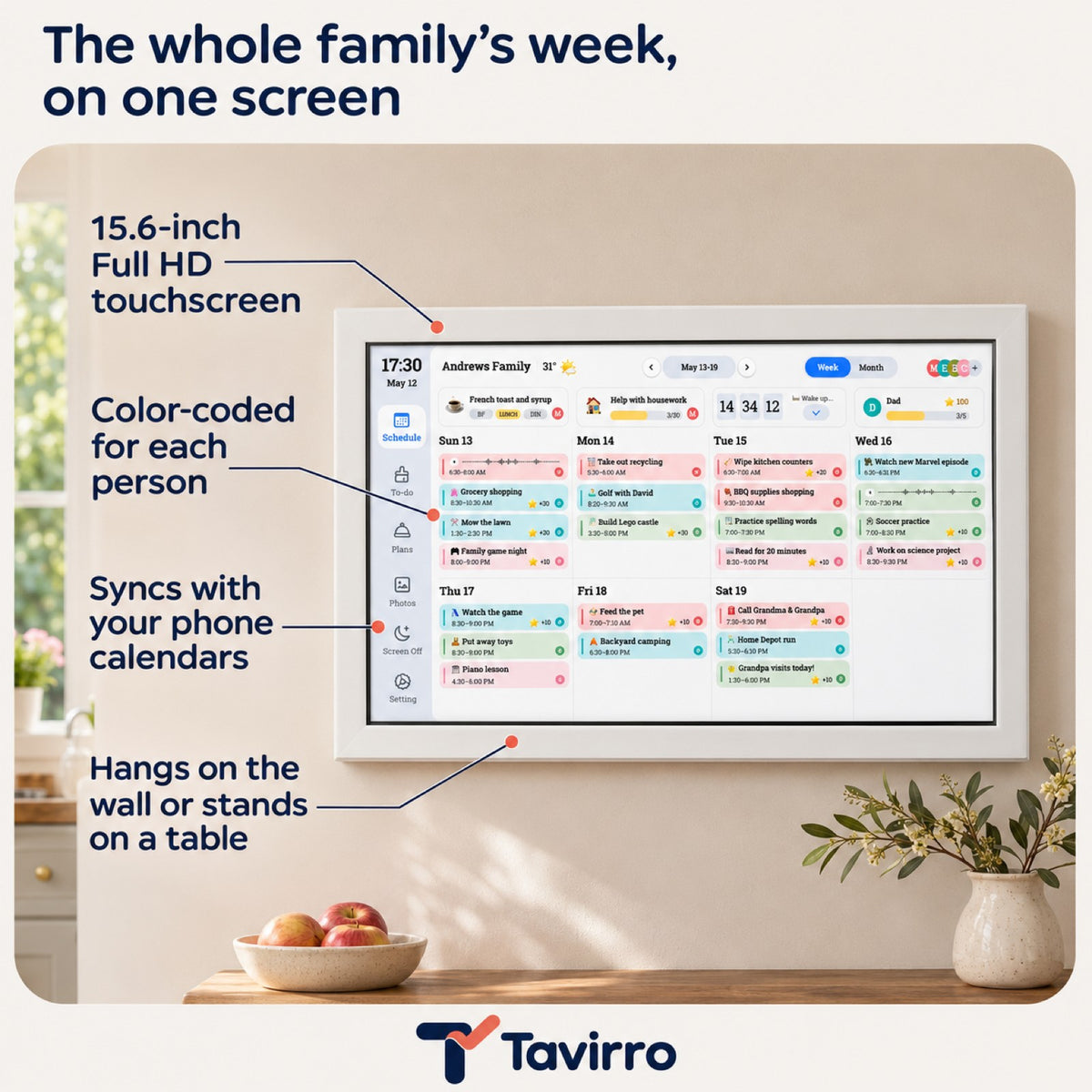
Link the accounts your family already has. Events you add on your phone appear on the wall, and changes made on the screen show up in the app.
GoogleiCloudOutlookYahooCoziTeamSnap
Free companion app for iOS and Android. Every family member can add or update events.

Before and after
Goodbye, sticky notes on the fridge
| Tavirro | Paper calendar | Whiteboard | |
|---|---|---|---|
| Updates from your phone | ✓ | – | – |
| Syncs Google, iCloud, Outlook | ✓ | – | – |
| Color per family member | ✓ | Pens | Markers |
| Chore chart with rewards | ✓ | – | By hand |
| Meal plan and shopping list | ✓ | – | By hand |
| Nothing to erase or reprint | ✓ | – | – |
| Shows your photos | ✓ | – | – |
Needs Wi-Fi and a power outlet nearby.
Setup
Up and running in three steps
1
Plug in and join Wi-Fi
Plug it in, tap your Wi-Fi network on the screen and enter the password.
2
Link calendars and add people
Connect Google, iCloud, Outlook or the others, then add a colored profile for each family member.
3
Hang it or stand it up
Put it on the kitchen wall, a hallway or a counter, wherever the family passes most.
Then download the free app so everyone can add events from their phone.
Who it's for
Made for households that run on a schedule
Busy parents
Two calendars, three kids, one fridge door that can't hold any more notes.
Kids who need a routine
A checklist they can tap themselves, with stars that show their progress.
Grandparents far away
Share photos and little messages so they feel part of the week.
Home offices
Meetings, deadlines and reminders on a screen you can see from your desk.
Try it for 30 days
If it doesn't fit your family's routine, send it back within 30 days of delivery and we'll refund your original payment method. Return shipping is on you, unless the item arrives defective or wrong. Then it's on us.
Questions before you order? Write to hello@tavirro.com.
Frequently asked questions
Which calendars does it sync with?
Google, iCloud, Outlook, Yahoo, Cozi and TeamSnap. Once linked, events you add on your phone show up on the screen, and changes made on the screen show up in the app.
Is there an app?
Yes. The companion app is free for iOS and Android. Every family member can use it to add or update events, even when they're away from home.
Does it need Wi-Fi?
Yes. It connects to your home Wi-Fi to sync calendars and the app. Without Wi-Fi it can't receive new events from your phone.
Can I hang it on the wall?
Yes. It works hung on a wall or standing on a counter, table or desk. Pick a spot near an outlet where the family passes every day.
Does it need to be plugged in?
Yes, it's a plug-in display, so place it within reach of a power outlet.
Can kids use it on their own?
Yes. The touchscreen is simple to tap, and the chore chart lets kids check off their own tasks and routines and earn stars.
Can it show our photos?
Yes. When you're not using the calendar it can play a slideshow of your photos, like a digital picture frame, and show short messages for the family.
How long does delivery take?
Shipping is free on all US orders, and orders are delivered in 7–12 business days. You get a confirmation email with tracking once your order ships.
What if it's not right for us?
You can return it within 30 days of delivery. Return shipping is paid by the customer unless the item is defective or wrong. Refunds go back to your original payment method.